
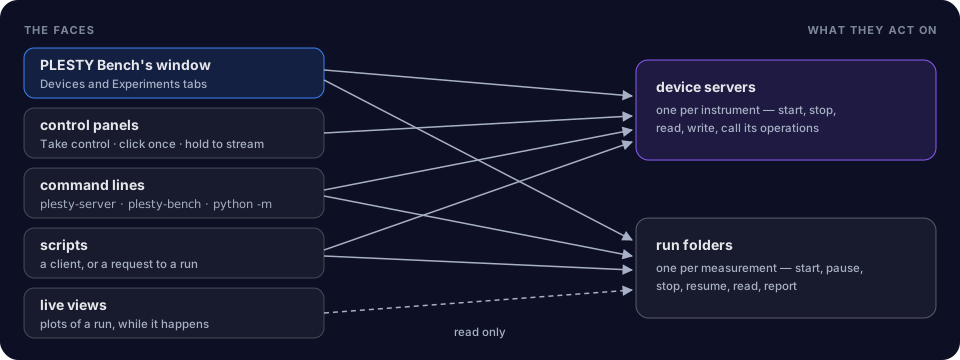
None of the ways to drive PLESTY is the system itself. Each is a face of the same two things, so they mix freely: a run started in the window can be stopped from a script, and a device started on the command line shows up in the window.
PLESTY Bench
The application on each lab PC. Its window has two tabs:
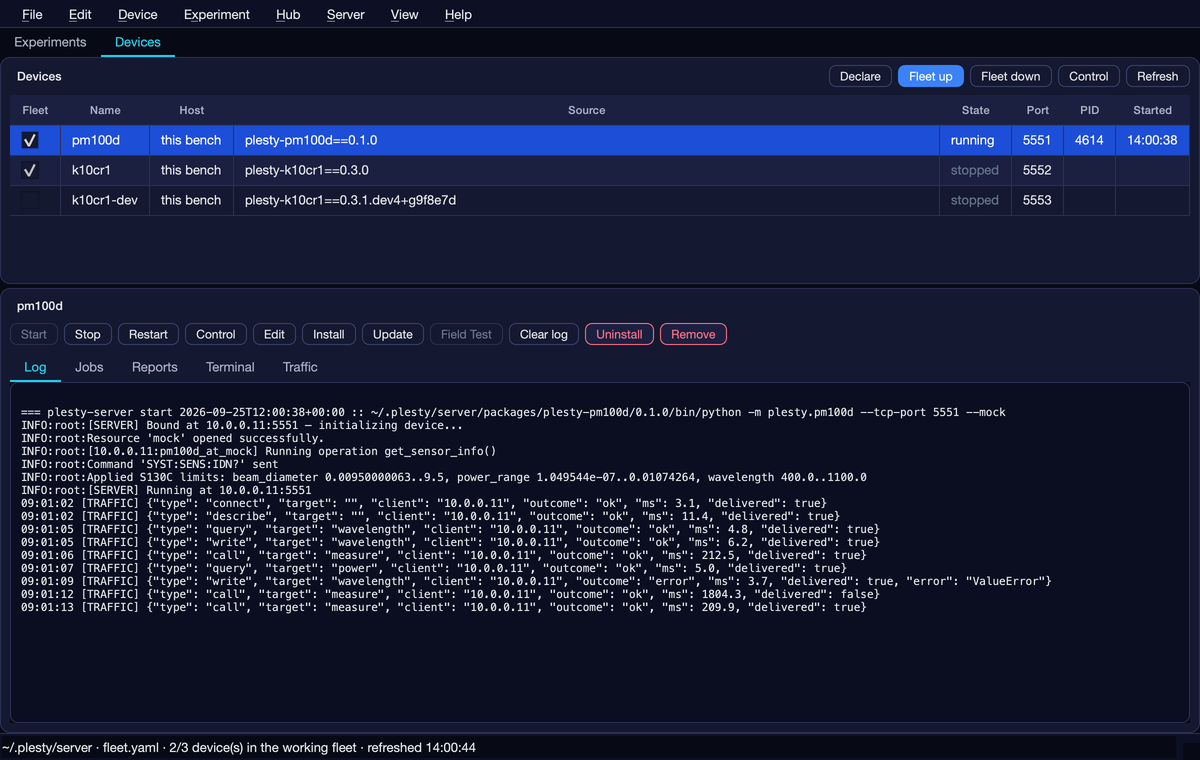
- Devices — the bench's fleet (any mix of fleets and benches, chosen in View ▸ Fleet): each device's package and version, the PC it runs on, its state and port; Start, Stop, Control, Install, Update, Field Test; and its Log, Jobs, Reports, Terminal and Traffic.
- Experiments — one row per run: Create, Configure, Run, Pause, Stop, Abort, Resume; and the run's Log, Data, Visualization and Report with Export HTML.
Nothing the bench starts is its child process: closing, updating or crashing
the window stops no instrument and no measurement. Everything it installs and
writes lives under one folder, ~/.plesty/server, with one environment per
package version.
Control panels
A device's panel is built from what its module declares — every setting with its unit and limits, every operation as a button.
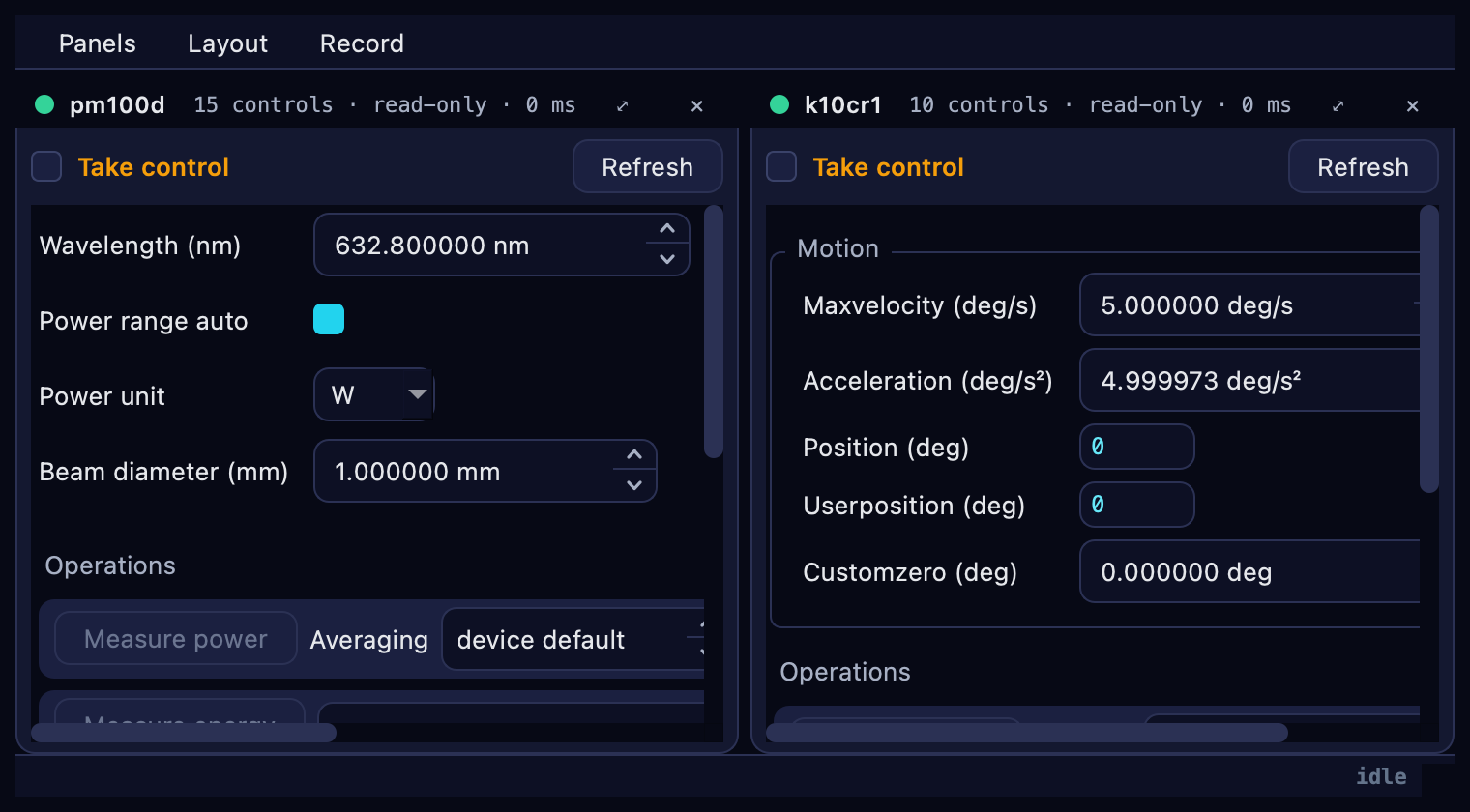
It opens read-only, since an experiment may be using the instrument.
Take control makes it usable; a click runs an operation once, and
holding a reading repeats it every second until held again. The same panel
opens from the bench's Control, from plesty-bench control on another
machine, and from a device module's own --gui.
Command lines
| Command | Is | For |
|---|---|---|
plesty-server |
PLESTY Bench without its window | fleet up, start, status, field-test — scripts, SSH, a PC with nobody logged in |
plesty-bench |
a client for another bench's agent | install, update, field-test and control a bench from your own computer |
python -m plesty.<device> |
a device server | --tcp-port, --mock for its simulator, --gui |
python -m plesty.<experiment> |
an experiment | --config, --dry-run, --resume <run>, --manifest |
plesty |
the SDK | init, check, docs |
Every experiment has the same command line, and it is the one the bench runs: the window adds nothing a terminal cannot do.
Live views
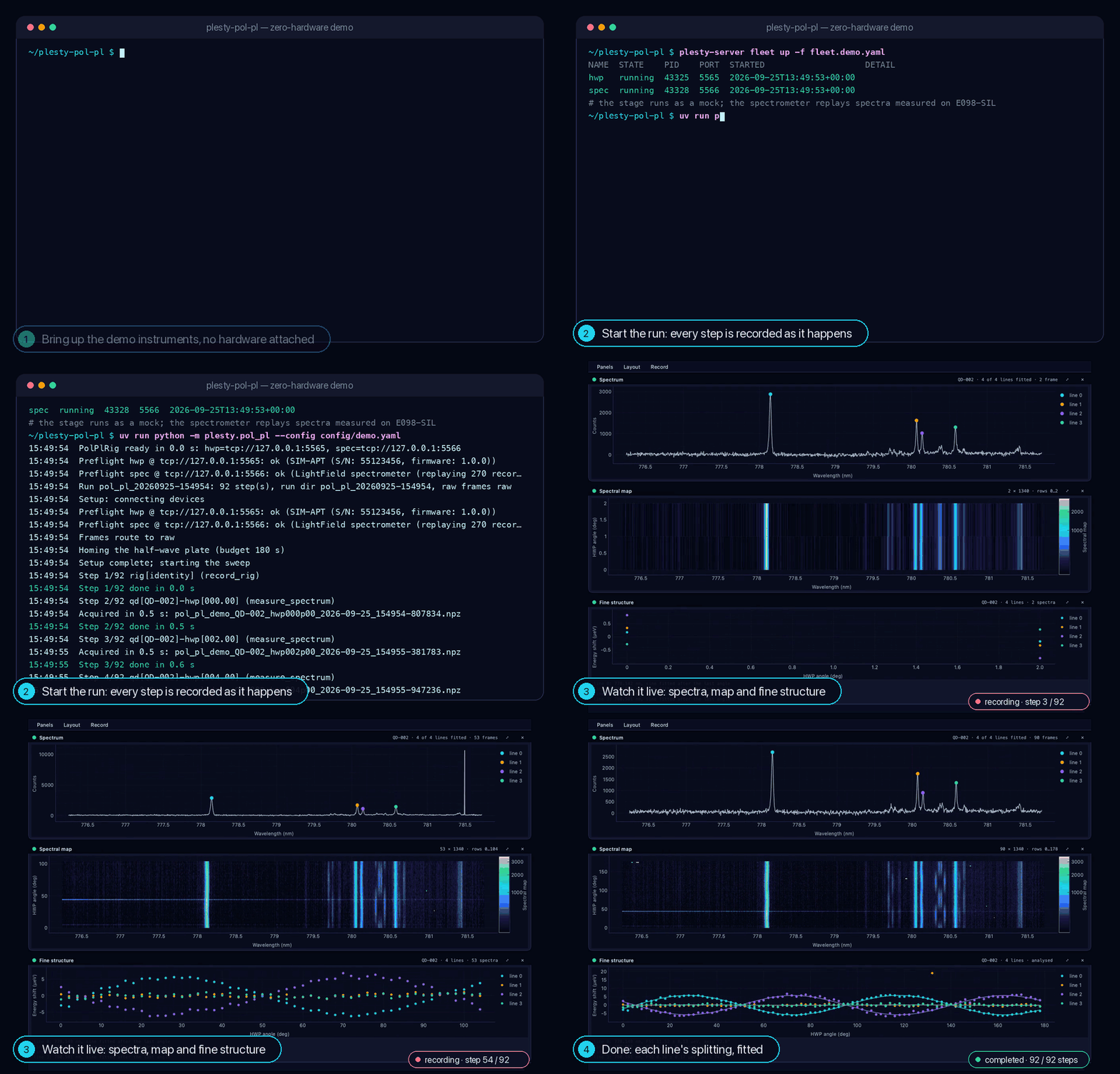
A viewer plots a run while it happens, reading only the new lines of its records at each refresh — so any number can watch one run, and opening or closing one costs the measurement nothing. A finished run plays back, or renders to a video, the same way. The bench's Visualization pane is one.
Read next
- Quickstart — every interface on one real measurement.