
On one PC, the stage and the spectrometer of the demo both run on the one bench — the PC running PLESTY Bench — and the whole measurement is set up by one button. This needs PLESTY Bench 0.5.0 or newer; for an older bench, see By hand below.
1. Open the Welcome
The first time PLESTY Bench starts on a PC where nothing is installed yet — no module, no device, no experiment — it opens Welcome to PLESTY Bench by itself. It does so once only: a bench that already holds something was set up, and Not now closes the page for good. Help ▸ Welcome… opens it again at any time.
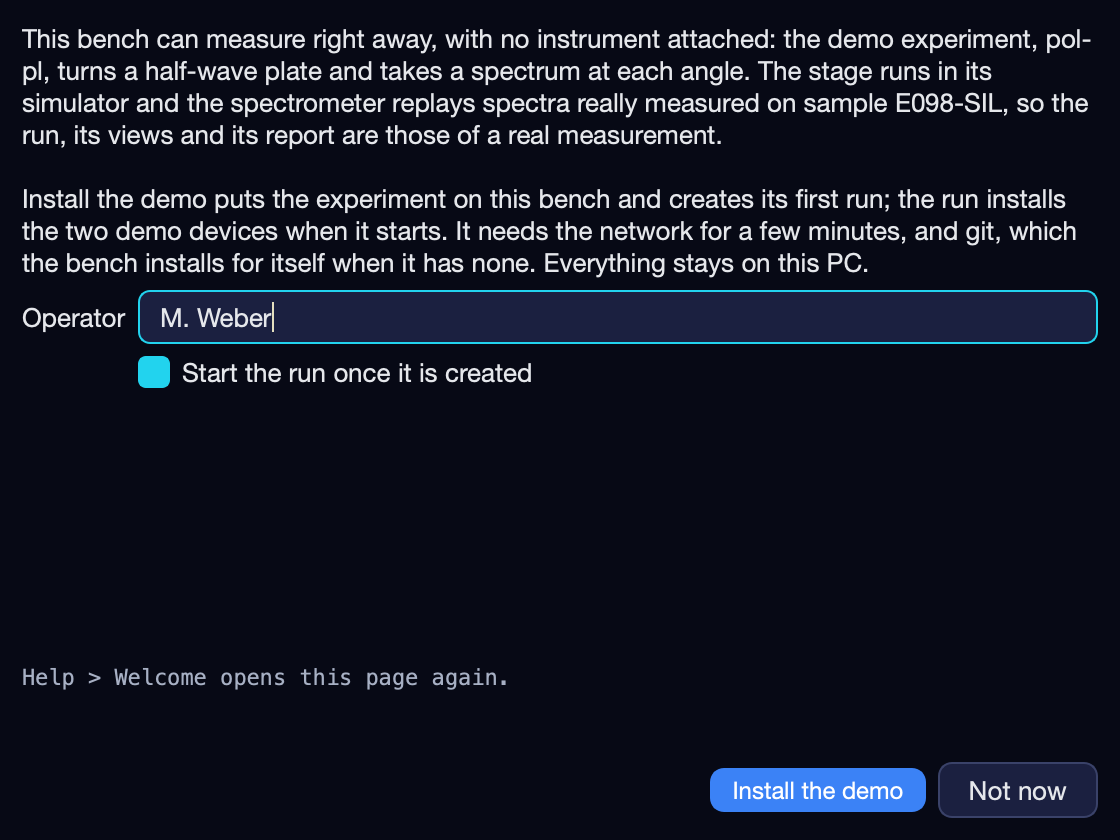
2. Install the demo
- Operator — your name. Every run records who measured it, so the page does not go on without one; the next run proposes the same name.
- Start the run once it is created — leave it ticked to measure at once. Unticked, the run is created and waits for you to press Run.
- Press Install the demo.
The install needs the network for a few minutes, and git, which the bench installs for itself on Windows when it has none. Nothing leaves the PC.
What the button sets up
| Experiment | pol-pl, the module plesty-pol-pl, installed from its repository at its release tag v0.2.0, which pins the versions of both devices too |
| First run | pol-pl-<date>-001, created from the module's config/demo.yaml — the sweep the demo spectrometer holds |
Stage — hwp |
the Thorlabs K10CR1 module, plesty-k10cr1, in its simulator |
Spectrometer — spec |
the demo/pol-pl branch of plesty-lightfield-spectrometer, which replays the measured spectra instead of exposing a camera |
| Folder | <home>/demo/pol-pl, where <home> is the bench's home folder: the runs, and the spectrometer replaying into them, share it |
There is nothing to configure. The two devices are not installed by the button: the run installs and starts them itself when it begins, from the experiment's setup, and they show on the Devices tab while it measures. The folders the demo gives the spectrometer apply only while this experiment serves it; another experiment that uses a spectrometer called spec does not inherit them.
3. Watch it
While the run measures, a banner across the top of the window names it, how far it has got and how many of its devices are up — pol-pl · pol-pl-20261027-001 · 41/90 steps · devices 2/2 up — whichever tab is in front. Select the run on the Experiments tab to see its Log, its Data step by step, and its Visualization, the experiment's own plots filling in as the plate turns through 90 angles.
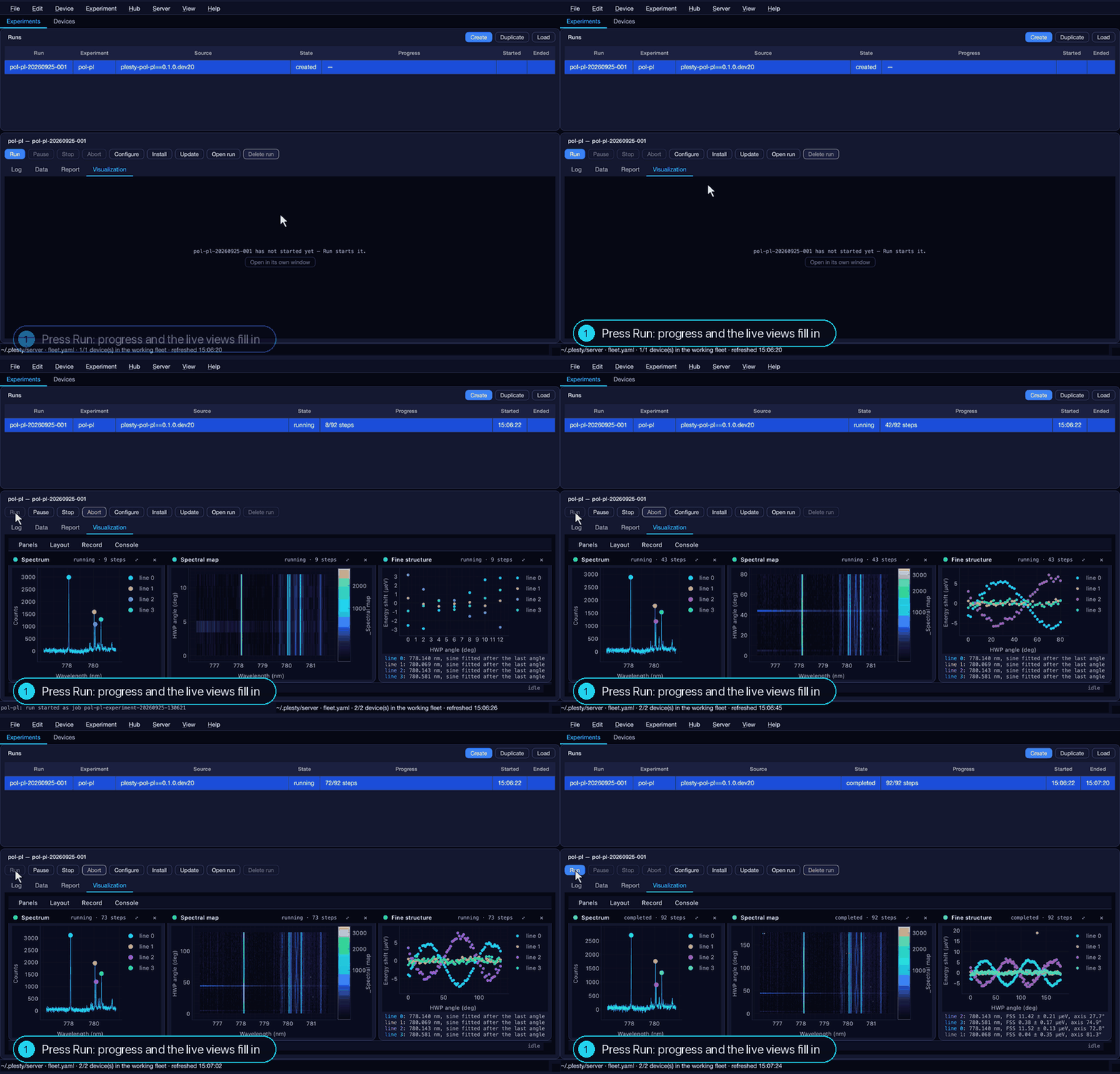
The demo takes about a minute.
4. Read the result
After the last angle the fine-structure analysis runs, the run writes its report, and both instruments are stopped again. The run reads completed, and its folder, <home>/demo/pol-pl/<run>, holds:
raw/spec/— the 90 spectra, one file per angle;- the run's journal, records and configuration;
report.html— the whole run in one file. Open run opens the folder.
What it finds is the result on the Quickstart page.
Afterwards
- Measure again — select the run and press Duplicate, then Run; or Create a new run of
pol-pland change its settings in Configure first. Each run is a new folder beside the first. - Across two PCs — the same experiment with the spectrometer on another bench: Across Two PCs.
- Remove it — Experiment ▸ Remove experiment drops the experiment from the bench; its runs stay in
<home>/demo. Hub ▸ Installed modules… then uninstalls the modules.
By hand
On a bench older than 0.5.0, or to see each piece, the same demo is three installs from the hub — PLESTY's catalogue of published modules — and a run:
- Hub ▸ Browse… (Hub ▸ Marketplace… before PLESTY Bench 0.5): find plesty-lightfield-spectrometer, choose Repository (git) and enter
demo/pol-plas the ref — the branch of the module to install. Not the PyPI release: it drives a real camera and stops when none is attached. - From the same Hub ▸ Browse…, install plesty-pol-pl as Repository (git), with
v0.2.0as the ref. - On the Experiments tab, Create a run of it with
config/demo.yaml. Before PLESTY Bench 0.5.0, open Configure ▸ Device Setup and check that its Shared data — the folder runs are written to — is/tmp, where that demo spectrometer looks for them; Save. - Press Run.
The bench documentation has every click and screenshot: The welcome demo experiment.