
Find it on the hub first
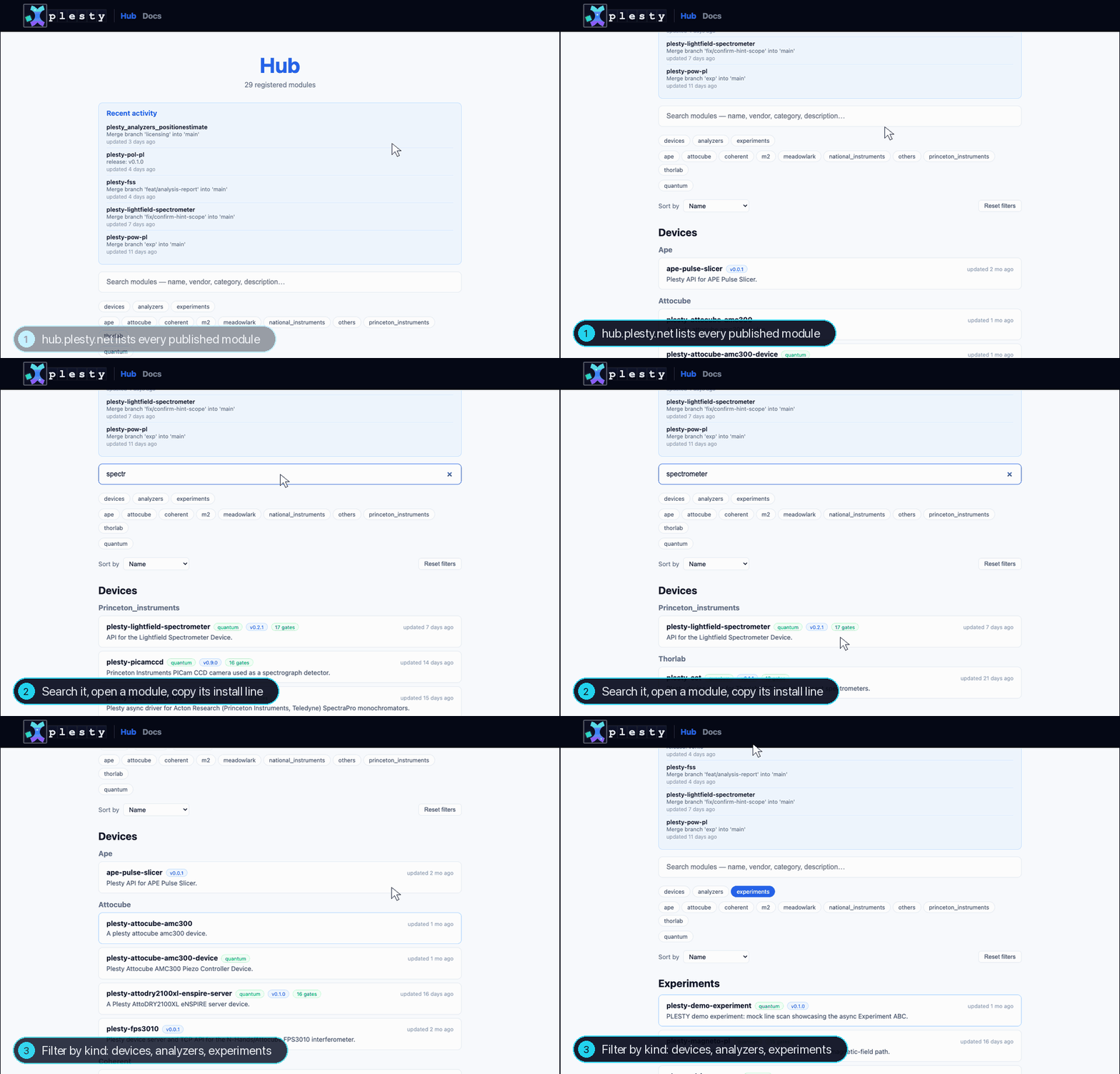
hub.plesty.net lists every published module, searchable
by name and filterable by kind, vendor and standard. Searching pm100d gives
the power meter, with what anyone needs before using it: its release, how far
it is held to the standard, and its field tests. Its Docs link opens the
documentation generated from the module itself — Usage, Parameters with
units and limits, Functions with their arguments.
Found it? Install it on a bench — Run It on a Bench — and skip the rest of this guide.
Scaffold a new module
plesty is the command of plesty-sdk, the development side of the
platform. Install it once, then scaffold into a new directory:
uv tool install plesty-sdk
plesty -d plesty-powermeter init device --name powermeter
Installed pre-push hook: uv run plesty check
Initialized device project at: …/plesty-powermeter
Python module name: powermeter
Import as: plesty.powermeter
The directory name gives every other name: plesty-powermeter is the project
and the PyPI package, plesty/powermeter/ the code, plesty.powermeter the
import. --name sets the module name explicitly.
plesty-powermeter/
├── plesty/powermeter/
│   ├── __main__.py        the device server: python -m plesty.powermeter
│   ├── base_device.py     the class you fill in — see Base Class
│   ├── device.py          the device as others import it, and a hardware-free one for docs
│   ├── preflight.py       whether the instrument is there, asked before anything touches it
│   └── config.yaml        defaults a server starts with
├── tests/
│   ├── test_powermeter.py the mock pipeline gate d1 runs
│   └── test_preflight.py
├── docs/                  the module's documentation pages
├── .env.example           the instrument's address — the real values go in .env, never committed
├── .gitlab-ci.yml         the plesty-standard-ci pipeline
├── pyproject.toml         depends on plesty-lib; module_type = "device"
└── CHANGELOG.md, LICENSE, README.md, REUSE.toml
plesty init also formats the files, makes the first git commit — so the
package has a version from the start — and installs a pre-push hook that
runs plesty check before every push.
First check
cd plesty-powermeter && uv sync
uv run pytest -q
uv run plesty check
.........s...................                                     [100%]
28 passed, 1 skipped in 1.15s
Checking against standard: pixel
  ✓ Metadata & Namespace
  ✓ Code Hygiene (lint)
  ✓ Code Hygiene (format)
  ✓ Code Hygiene (types)

Report written: reports/check.json

All checks passed.
reports/check.json is the gate results in a form the hub reads, beside the
module's field-test reports.
A new module is held to pixel, the prototype standard, until it is released;
the standard tightens as the version rises — see Quality Gates.
module_type = "device" in pyproject.toml is what switches on the device
gates d1–d3.
Next: Base Class.