
A device module is the software for one instrument: it knows the instrument's own protocol and offers it as ordinary operations and settings, served over the network so anything can drive it (see Modules). This guide takes one instrument — a Thorlabs PM100D power meter — all the way:
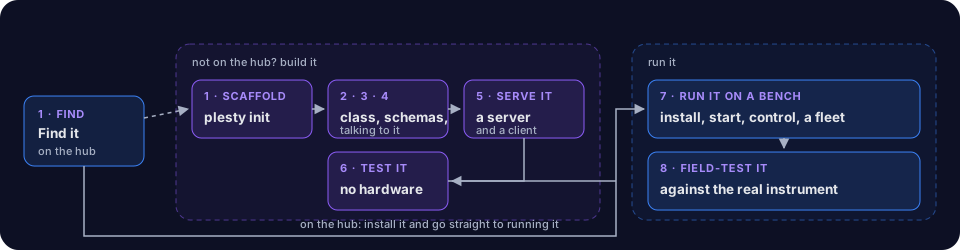
- Find or Scaffold — look on the hub first;
plesty init deviceif it is not there. - Base Class — connect, disconnect, write and query.
- Schemas — every setting and operation, with units and limits.
- Implementation — the instrument's command language.
- Serve It — the device server, and a client that talks to it.
- Test It — gate d1, with no hardware attached.
- Run It on a Bench — install it in PLESTY Bench, start it, drive it by hand, run several together.
- Field-Test It — prove it against the real instrument.
If the hub already has your instrument, steps 2–6 are someone else's work: install it and go straight to step 7.
The reference implementations are the modules listed as current in the hub —
plesty-pm100d and plesty-k10cr1 are the two this guide uses.